

You have decided to go out. The group chat has agreed on tonight. Now comes the familiar question: where?
You want somewhere with a bit of life, somewhere you can meet people, and a plan that leaves room for the evening to surprise you. Ember brings those decisions closer together, from checking activity on the map to finding an easy way to start a conversation.
Here is how to plan a night out with Ember's heatmap, planning tools and AI Concierge, then make the most of the room when you arrive.
Plan a night out around the activity you can see
Open Ember's Plan view and explore the map. The heatmap helps you spot areas where Ember venue activity is concentrated, then look more closely at individual places.
That gives you a practical starting point. If you fancy a lively evening, explore a cluster of active venues. If you want somewhere familiar, look up a place you already know. Check the available venue details and room times before choosing your first stop.
Activity maps are useful because the same neighbourhood can feel different at different times. Google Maps' explanation of busy areas describes how area activity can help people decide where to explore. Ember's heatmap focuses on its own venue-room activity and attendance plans, bringing that idea into the context of meeting people through Ember.
There are two signals to read:
- Current room activity: people who have joined an Ember venue room.
- Planning interest: people who have marked that venue as their plan for the night.
Those signals help you judge where an Ember night is taking shape. They reflect activity in the app, rather than a count of everyone inside a pub. Plans can change, and a place with little visible Ember activity may still have plenty happening offline.
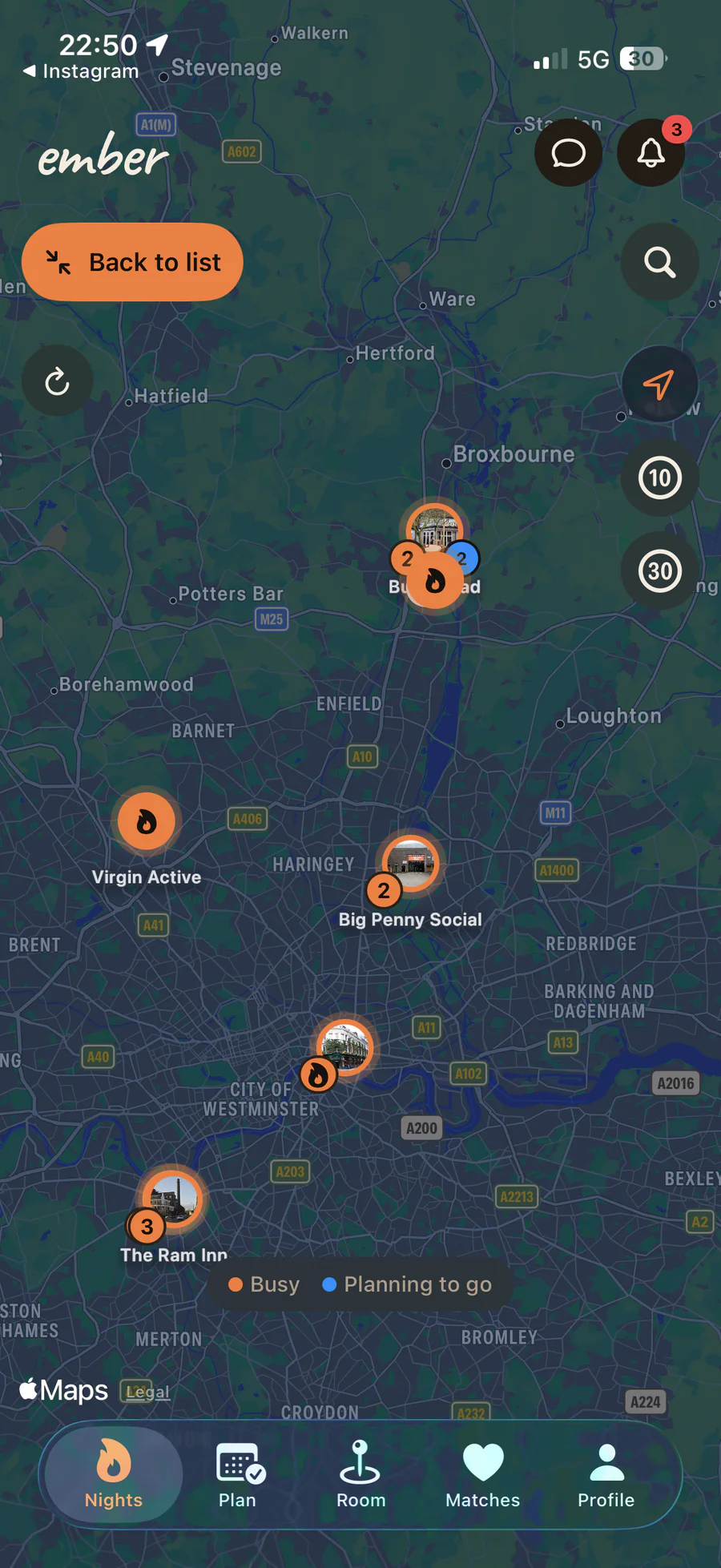
Explore venue activity and planning interest on the heatmap. This screenshot shows an example at the time of capture. Tap to view it larger.
Choose a venue and keep your plans flexible
Once somewhere catches your eye, open its venue card. You can explore nearby options, search for a venue, save places you would like to return to, and mark where you plan to go.
Saving a venue keeps it handy for another evening. Marking your plan says where you intend to spend this one. You can update that choice if the group settles on somewhere else.
This makes the map useful before you leave home as well as while you are out. Pick a starting point, agree a meeting time with your friends and check the activity again closer to departure. You still have room to change your mind when you get there.
Your plan is an expression of interest. Joining a physical venue room happens when you arrive and Ember checks that you are at the venue. The first-night guide walks through that part.
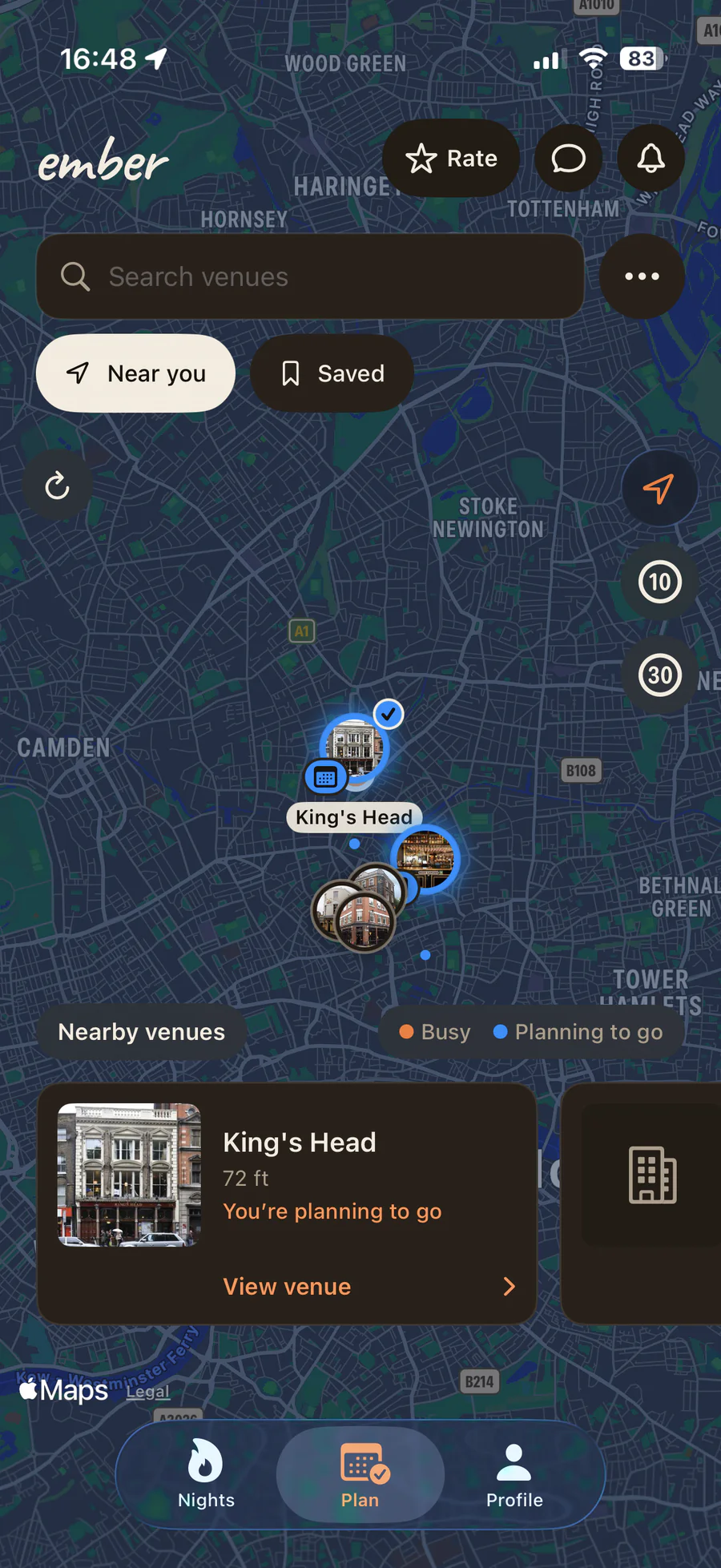
Search nearby venues, revisit saved places and choose your plan for the night. Tap to view the screenshot larger.
Meet Ember AI Concierge, your guide to the night
Concierge is where you can ask for a little help along the way. It introduces itself as Ember AI, the app's automated guide, and helps with questions about using Ember, choosing among available venues and starting conversations.
When you see the Concierge profile in a room, send it a wave to open the conversation. Concierge automatically waves back so you can ask your question. You can write naturally, in the language you are comfortable using.
Useful questions include:
- “Which Ember venues look active tonight in my city?”
- “How do I use the planning map?”
- “Can you help me improve my bio?”
- “Is there someone here who shares my interests?”
- “What could I say to start a conversation?”
For venue suggestions, Concierge can use the current Ember activity and plans available to it. It can explain which places show room activity now and which have interest for later, helping you turn a broad question into a couple of options to consider.
Find common ground, then find your own words
Choosing a place is one part of going out. Starting a conversation can be the next small hurdle.
Concierge can suggest people based on shared selected interests and relevant details in public bios. Add interests you actually enjoy so there is something useful to work with. If your profile needs more, the guide can point you towards the interest editor before making a suggestion.
It can also offer an opening question grounded in that common ground. If two profiles both mention live music, for example, a simple opener might be: “What's the best gig you've been to recently?” This is an example of the kind of prompt you can adapt to your own voice.
Ask for something shorter or more relaxed if the first wording does not sound like you. You decide whether to look at the suggested profile, send a wave or carry on browsing.
Suggestions can come from your current venue room or Ember Lounge, depending on who is available. The guide should make that distinction clear: someone in the Lounge may be elsewhere. Our Ember Lounge introduction explains how that shared community room fits alongside venue rooms.
Arrive, wave privately and say hello
At the venue, join its room to browse the people taking part in that night's Ember experience. Your profile gives them a little context too: your photos, bio, interests and what you are up for.
A wave is a quiet first step. The other person only finds out when they wave back and you match. From there, a short chat can help you agree where to say hello.
Eligible matches at participating venues can also unlock a match reward. The venue sets the offer, and the reward card explains its terms. When a reward is issued, the two halves of the code give you a reason to claim it together. See the match reward FAQ for how it works.
Matching with Concierge gives you access to the guide; it does not generate a venue match reward. The social part of the evening remains yours, including whether you want to meet someone after matching.
The venue night is temporary too. Its waves and matches are cleared after the room closes, while your account and profile stay ready for next time.
What this could look like on your next night out
Imagine you and a friend are choosing where to start. You open Plan, notice a cluster of Ember activity and compare a couple of venue cards. One suits your meeting point, so you mark it as your plan and send your friend the details.
Before leaving, you check again. You could also ask Concierge which nearby Ember venues show current activity or planning interest. Once you arrive, you join the room and have a look around.
Someone shares your interest in live music. You send a wave. If it becomes a match, you already have an easy topic to bring into the conversation. The map helped you choose a place, the guide helped with a question, and the rest of the evening can happen in person.
A few quick questions
Does the heatmap show everyone at a venue?
It shows Ember activity signals from venue rooms and plans. It is not a complete measure of a venue's crowd, and some small counts are kept private. Use it alongside the venue details and your own preferences.
Can Concierge guarantee a match?
No. It can help you find common interests and suggest something to say. Mutual interest comes from the people involved, and each person chooses whether to wave or meet.
Can I plan before I arrive?
Yes. Explore the map, save venues and choose your plan beforehand. You join a physical venue room when you are there. Ember is free for guests and available on iPhone and Android for adults aged 18 and over.
Ready to make a plan? Get Ember for your next night out, explore the heatmap and see where the evening takes you.